Most harbours has the feature to let the user activate or buy shore power.
Depending on the harbours setup the user can:
- Buy shore power with prepay, price according to a time period.
- Buy shore power and pay after, when the outlet is turned off, according to the usages.
- Buy higher amps in the outlet.
Step one
Click on the tile ”Buy shore power” on the harbour main page in OHOY.
Step two
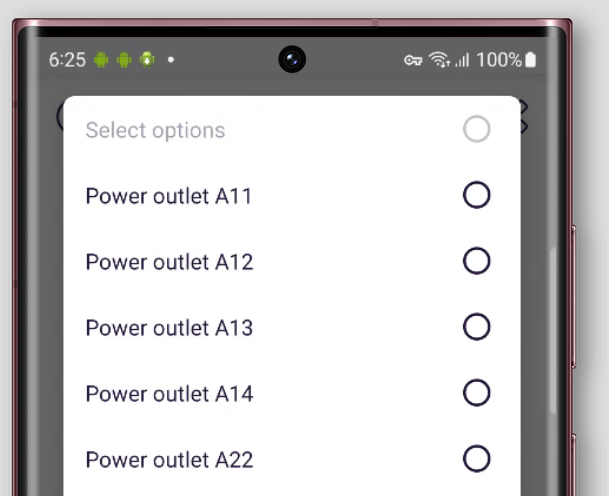
Select the outlet you want to turn on, Preferably the socket you have connected your cable to.
OHOY will give you a list with every outlet that is available and free. If you don’t find your selected outlet in the list please contact the harbour staff.
Step three (depending on the harbour setup)
If the harbour has the feature that lets you choose ampere in the outlet you need to choose it.
The preselected ampere is the lowest the harbour has, usually 6 ampere.
The two next step is 10 and 16 ampere.
6 ampere = 1 380W (1,38kW)
10 ampere = 2 300W (2,3kW)
16 ampere = 3 680W (3,68kW)
If you are using OHOY abroad you can calculate the watts by taking the ampere X volt = watts ( 6A X 230V = 1 380W)
Step four
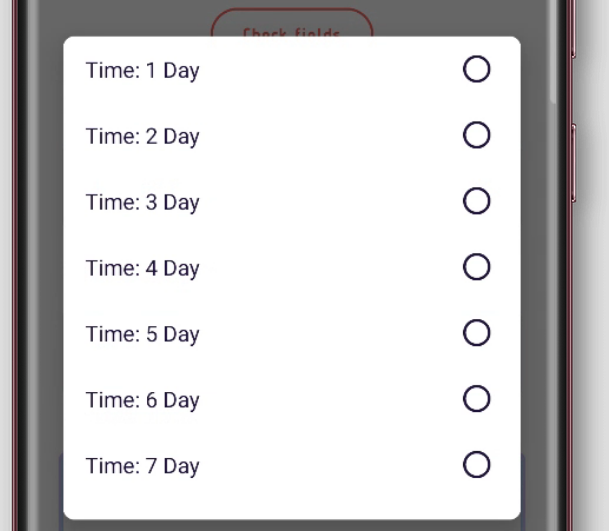
Choose how many days you want shore power.
You will get a refund for the days of power you have bought but will not use.
But you will not get a refund for the day (24 hour period) you are on.
E.g. you bought 5 days of power on Monday at noon but decide to depart early on Wednesday at 11:00 AM.
You will get money back for Wednesday to Saturday, 3 days.
If you decided to depart at Wednesday at 2:00 PM you would only get refund for the period Thursday to Saturday, 2 days, because you started a new 24h period at noon.
Step five
Click on the ”Start power” button at the bottom to continue to payment.
You could also click on the ”Power indicator” in the top to continue to payment.
Step six
Decide how to pay and fill in your information.
Most harbours lets the user choose between several payment option like card, Swish, Vipps, or Apple pay.
The card is saved at OHOYs partner Reepay and not i OHOYs system. Reepay is a PSP (payment service provider) that handles all transactions within OHOY.
If you don’t want to save your card you can deselect this option in the Reepay window when paying.
Step seven
Now you have bought power and you will see your order confirmation.
You will also get a receipt sent to your e-mail and you can find the transaction under the Economy page.